
Justinian 2.4.0 · September 2026
College football, and a new iPhone app.
Justinian 2.4.0 brings a college football archive for my state. It also brings a new native Justinian app for iPhone.

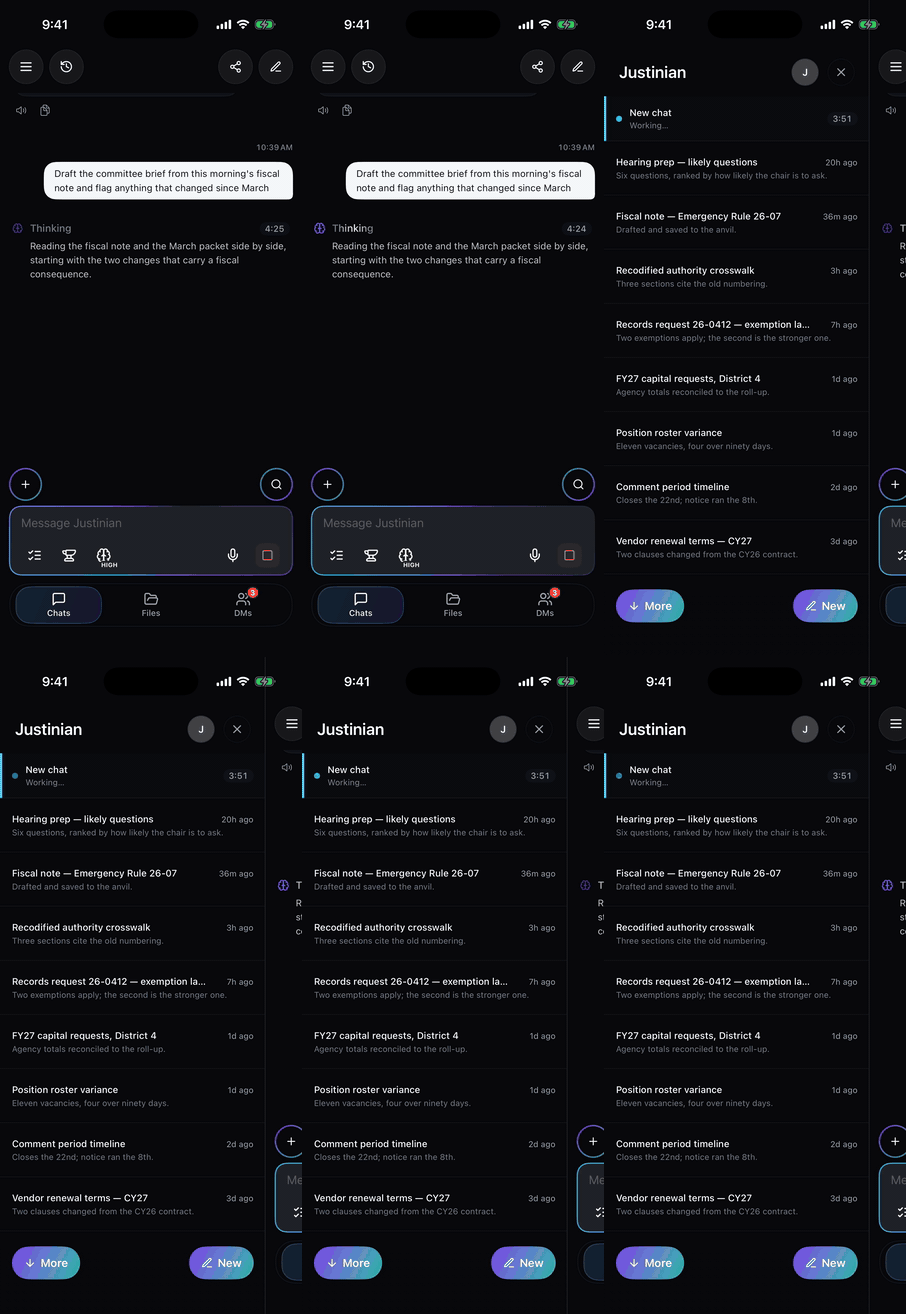
Justinian for iPhone: the app opening, and a live chat with the sidebar of prior chats.
01
The college football update
It’s that time of year and everyone’s been wondering: can Justinian do for football data what it does for legal data? You tell us.
With our latest update, across, Justinian currently has:
75institutions with financial and participation data
285,965player roster observations, 1893–2026
51,410game results with scores
289,004archived documents
- Player rosters: 285,965 observations, 1893–2026: names, positions, numbers, class, hometown and physical/school details where published.
- Coaches and staff: 39,194 observations, 1946–2026: names, roles and published staff details.
- Game results with scores: 51,410 observations, 1893–2026; latest recorded game date September 7, 2026.
- Other schedules/events: 10,560 observations, 1901–2033, including historical missing scores and announced future fixtures.
- Statistics and historical tables: 2,591,798 source rows plus 379,680 context records. Assigned seasons span 1893–2026, but most require dates to be read from their source context.
- Letterwinners: 2,214 profiles and 5,254 award-event records; awarded years 1893–2025.
- Supplemental player biographies: 668 records; no consistent season field.
- Financial and participation data: 30,488 facts across 75 institutions, 2000–01 through 2024–25: revenues, expenses, participation and coaching/employment counts. No complete individual payroll or NIL ledger.
- Archived documents: 289,004 records, including 10,143 PDFs, HTML, text, spreadsheets and other files. Publication dates aren’t consistently indexed.
- Incidentally collected other-sport records: 263,101, with assigned seasons 1972–2027, retained separately.
Test queries (fill in the blanks with your favorite team):
- “Who was on [team]’s 2019 football roster?”
- “Who wore number 9 for [team] in 2019?”
- “_____ 2019 scores”
- “_____ 2022 results”
- “_____ results in 2023”
- “When did _____ last beat their biggest rival?”
- “Who does _____ play in 2027?”
- “Who was on _____’s coaching staff in 2022?”
- “Which programs in my state reported the most football revenue in 2023–24?”
- “_____ football revenue by year”
02
Justinian for iPhone, now native
The Justinian iPhone app is now a native app, on the App Store today.
Already have Justinian on your iPhone? Update the app in the App Store to get the new version.
- A native iPhone app, built for the phone. Opens in about a second.
- Chat streams in with its thoughts open: what it searched, read, and ran, with a live clock.
- Anvils, your shared team workspaces, with channels, DMs, threaded replies, and reactions, same as the web.
- My Files: anvils, folders, every file type. Hold an anvil or channel to favorite it.
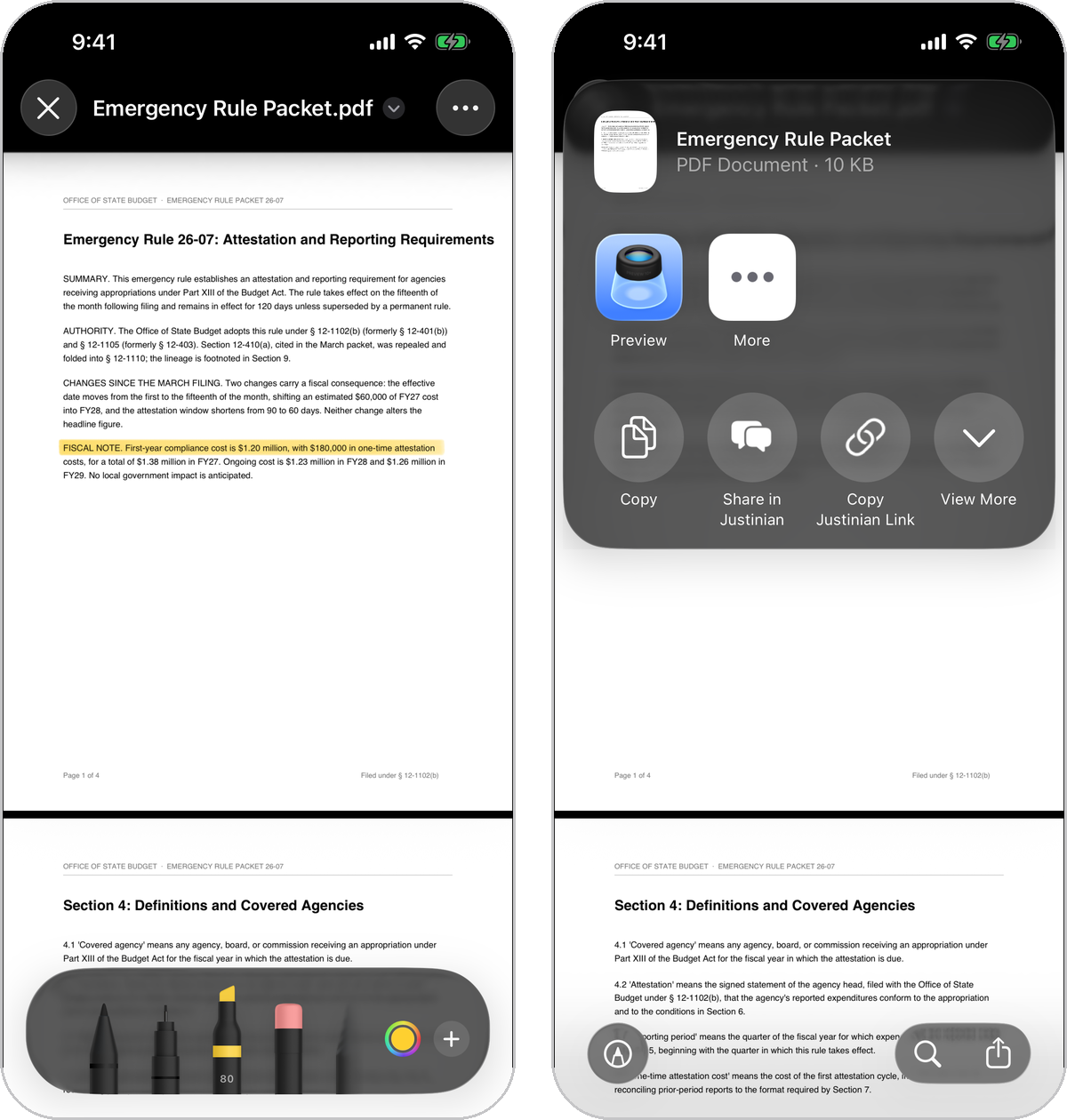
- Spreadsheets, documents, and slides open in Vulcan Office, the office suite built into Justinian. PDFs open natively with markup and the share sheet, including Share in Justinian.
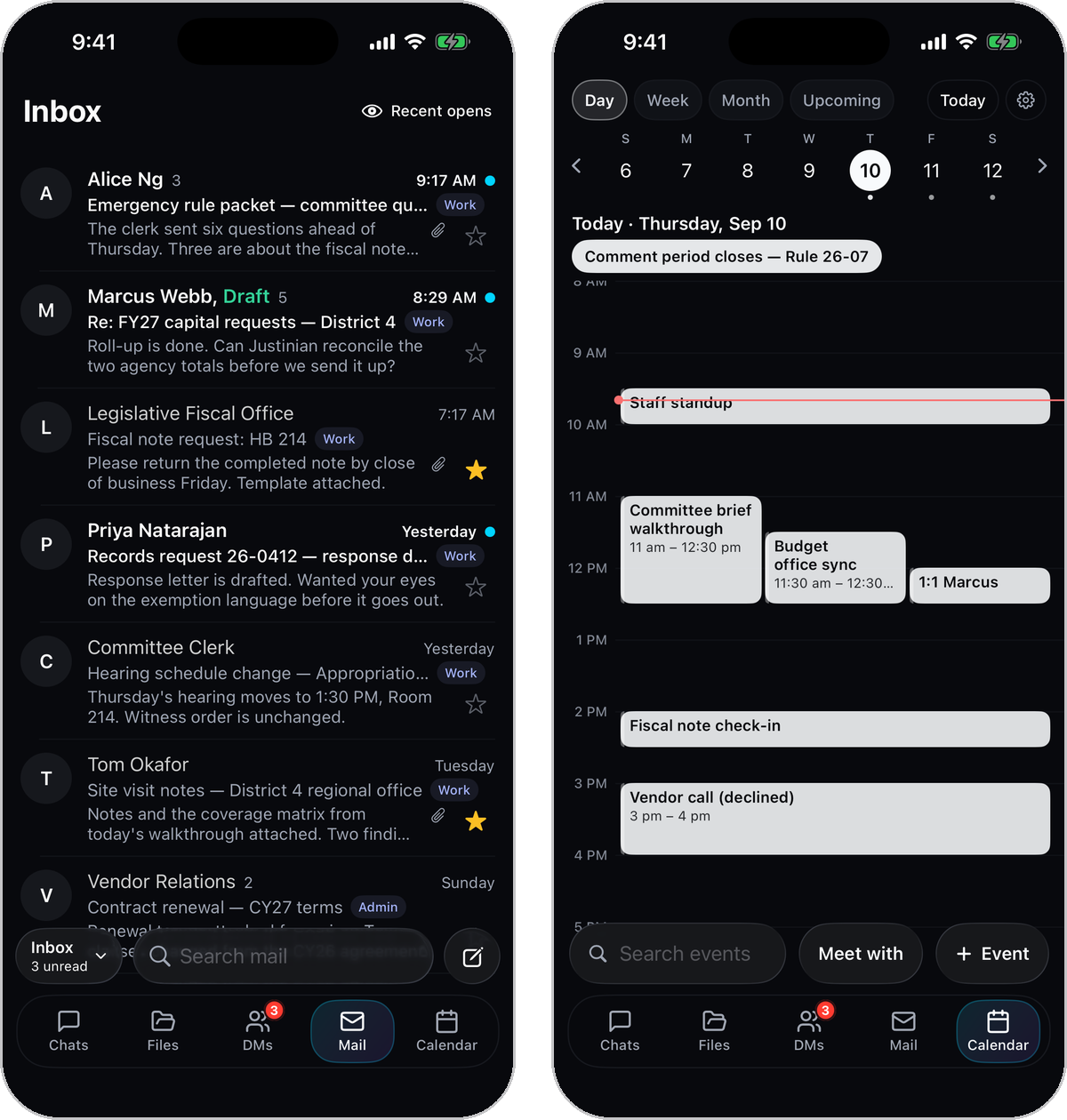
- Mail and Calendar, native. Connect Gmail or Outlook once on the web, then add them to your dock from Settings.
- A notification when your answer lands. Approve or deny tool requests right from the conversation on your phone.
- Requires iOS 17 or later. Designed for iPhone.
Live in your workspace now
Everything here is live in your workspace now. Sign in and try it.